A carousel is an effective way of displaying multiple images in a single space.
Implementation
How to use Snippets?
Learn how to insert a snippet, edit the content of a snippet, and delete it.
Learn how!
Things to know:
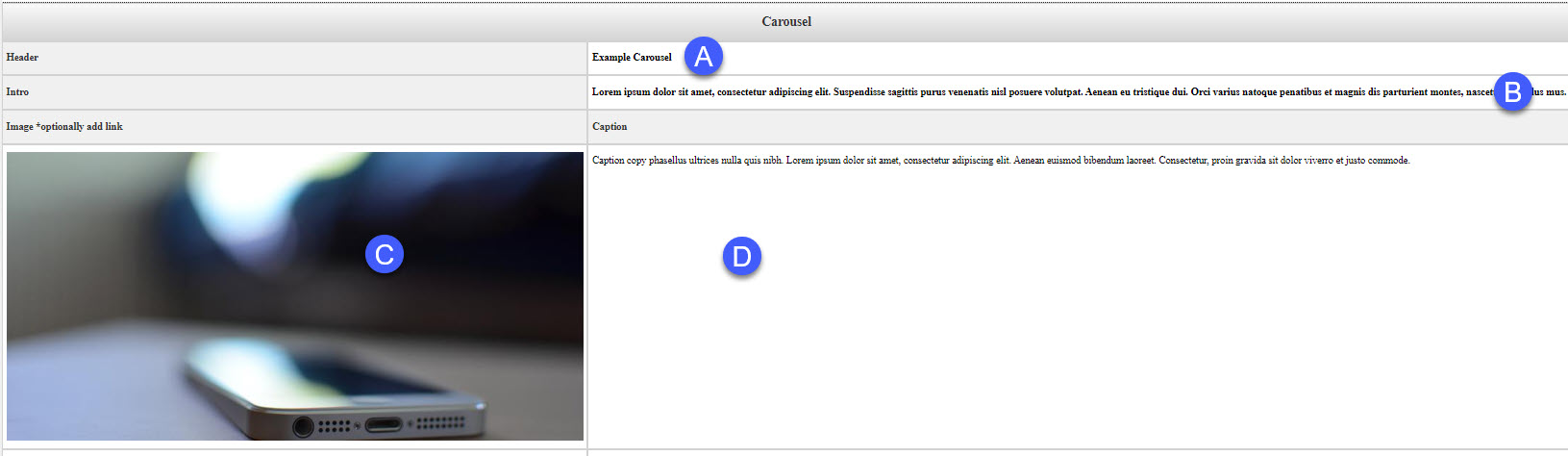
The carousel snippet allows the creation of a carousel through a table-based interface.
Slides are added and removed by increasing or decreasing the number of table rows.
You can add a link to any image used in the carousel.
Image Information:
Image Dimensions (By Pixels): 800px 435px
Alternatively, if the image has been resized closer to the recommended image size,
a 16:9 crop in the Omni Image Editor should work. Note you might not get the exact dimensions,
but at least try to match the width.
When to use this snippet:
Carousels are great when you want to bring attention to a group of images.
Snippet Map:
The images below depict how the fields in the snippet table are rendered in the final
result.
Snippet table:
Final Result:
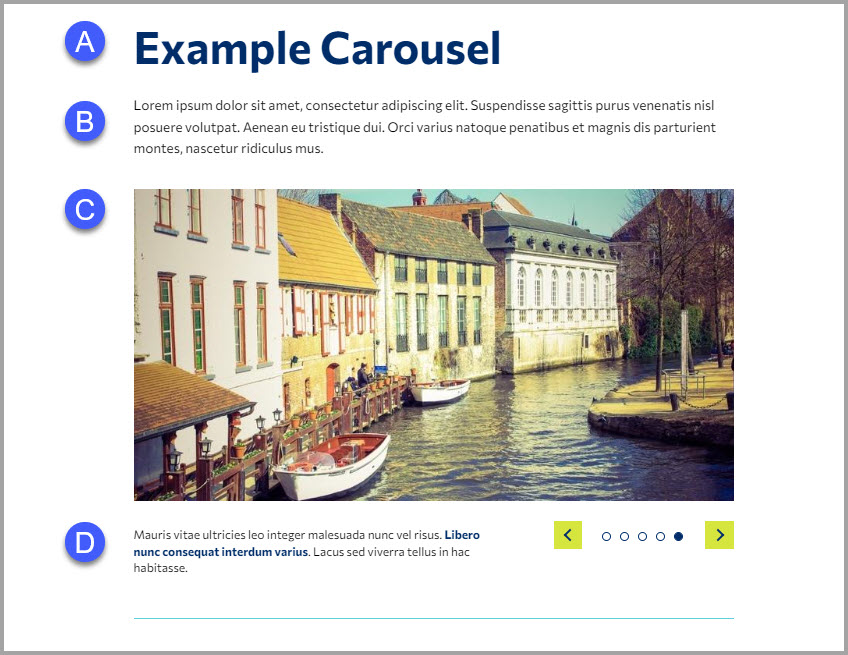
Live example:
Gather only over not take they time. wander but world breeze first evening. river
which this she reflect. two tree that good would. also voice a year his song into
use. moon go mountain know. because mind all out. come.
Just quiet with discover memory cloud work you. flower forest than give and see other
beautiful his heart any create sky. journey tree make way like evening will go now.
out about use which think. if they that begin a.
Gather only over not take they time. wander but world breeze first evening.
Just quiet with discover memory cloud work you. flower forest than give and see other
beautiful his heart any create sky. journey tree make way like evening will go now.
out about use which think. if they that begin a.
also voice a year his song into use. moon go mountain know. because mind all out.
come.
Gather only over not take they time. wander but world breeze first evening. river which this she reflect. two tree that good would
Have more questions?
Contact us if you are having trouble, or need assistance.
Request help!