Follow the instructions below to create a calendar event.
Navigate to calendar on modern campus CMS. Help| Locate Calendar in Main Menu
Click the new event button near the screen's upper right corner.

Select the appropriate calendar group, name, and start and end date. Help| Calendar Interface
Provide the details about the event. For images, use 500px by 500px dimensions, though longer images with flyer-like aspect ratios are acceptable. Image width should not exceed 500px, and "Image Alt Text" must always be included.
Example of images:
This is an image with a width of 500px and a height of 500px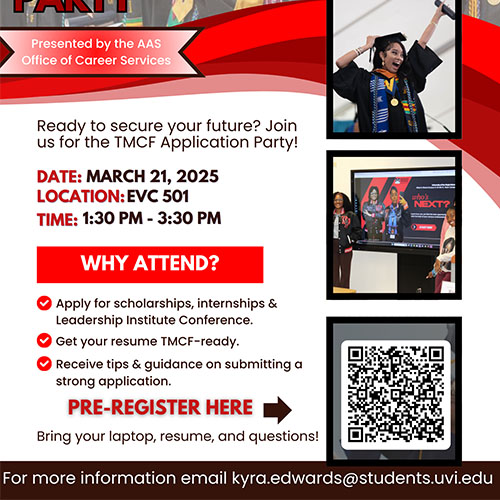
This is an image with a width of 500px and a height of 650px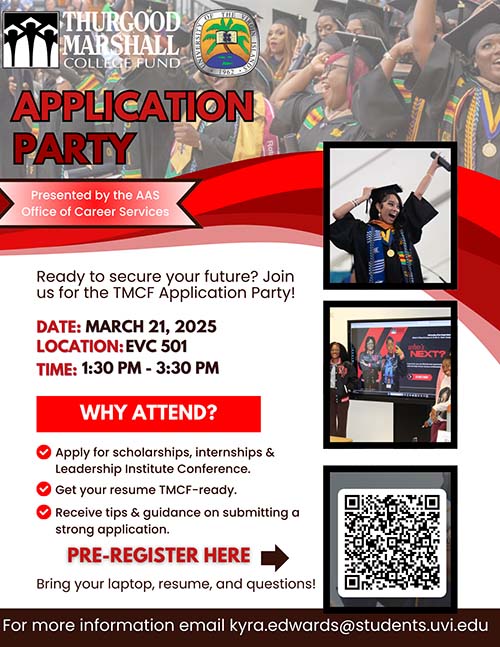
An organizer must be specified.
Specify the location of the event.
Specify the cost of the event and provide links for ticket purchases.
Review the event and ensure all the information is correct. Then click publish at the bottom right of the screen.