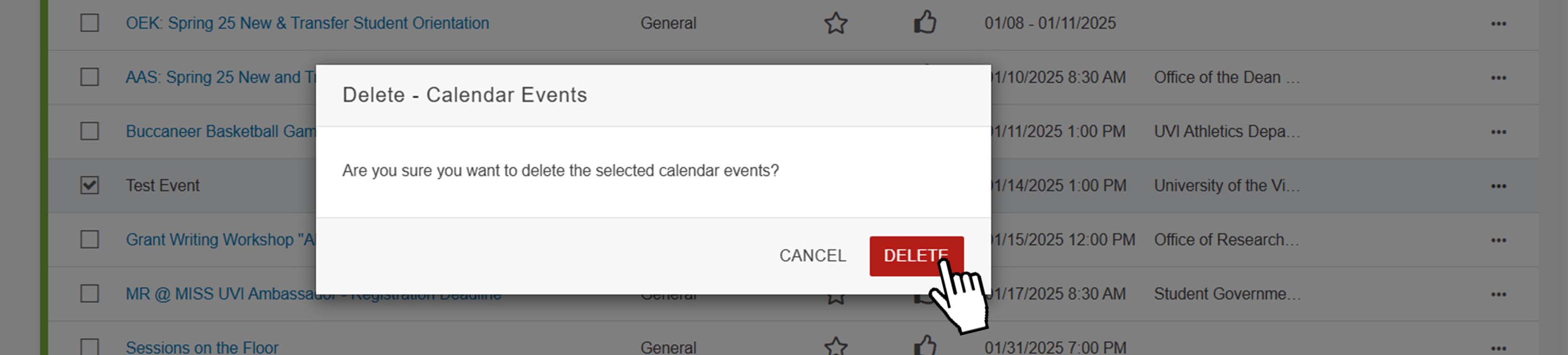
You can delete a single event or multiple events at once in the calendar.
Navigate to calendar on modern campus CMS. Help| Locate Calendar in Main Menu
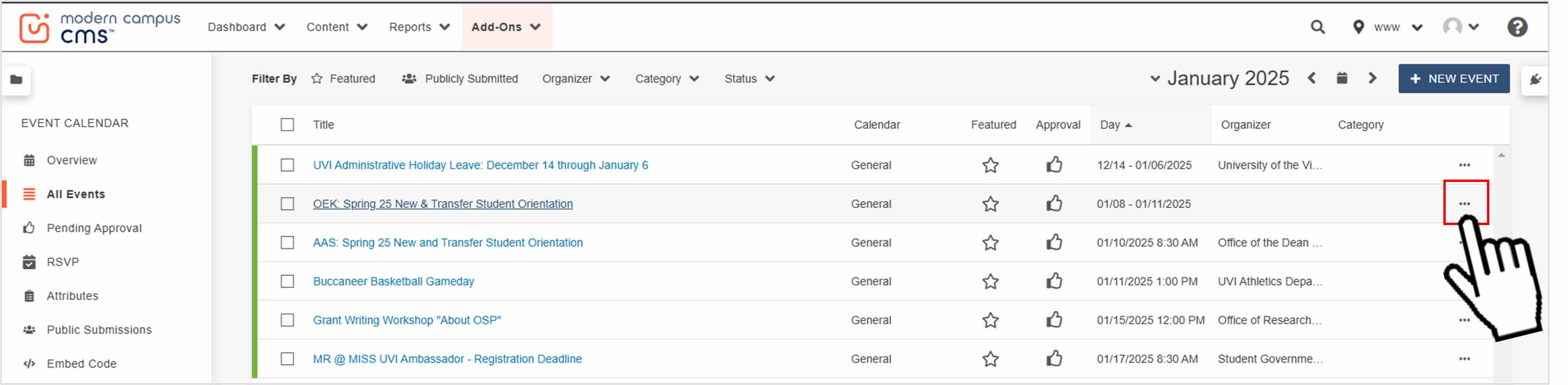
Find the event you want to delete, then at the end of your event's row, click the "More Options" button. Help| How to Search for an Event in a Calendar
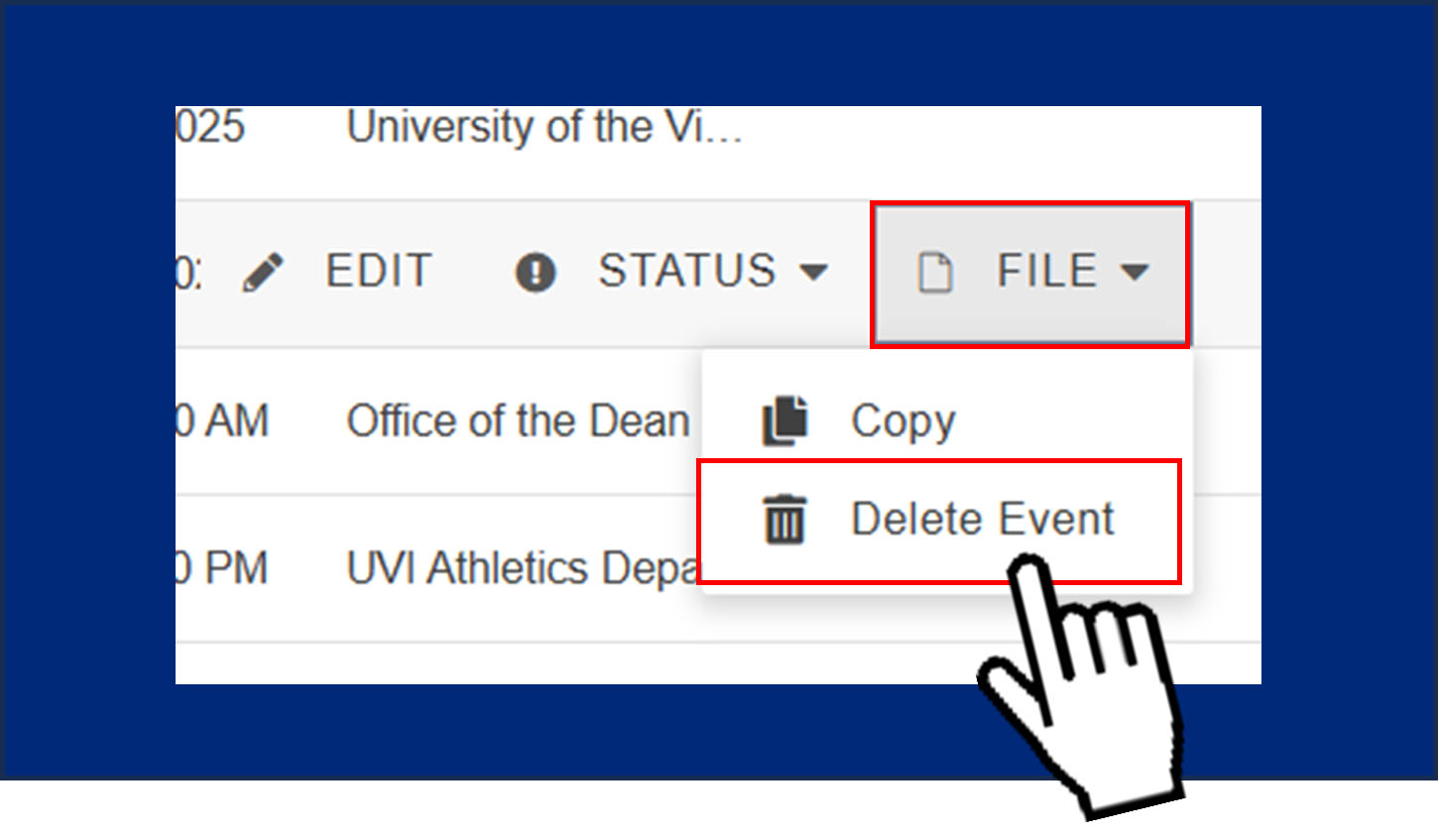
Click “File” then click “Delete Event”
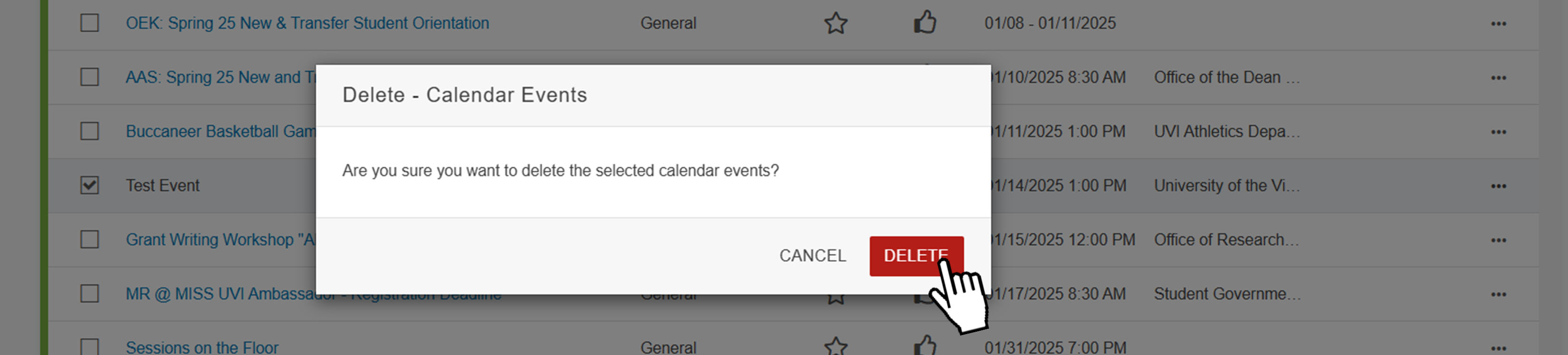
When the popup appears, click it again to confirm deletion.
Navigate to calendar on modern campus CMS. Help| Locate Calendar in Main Menu
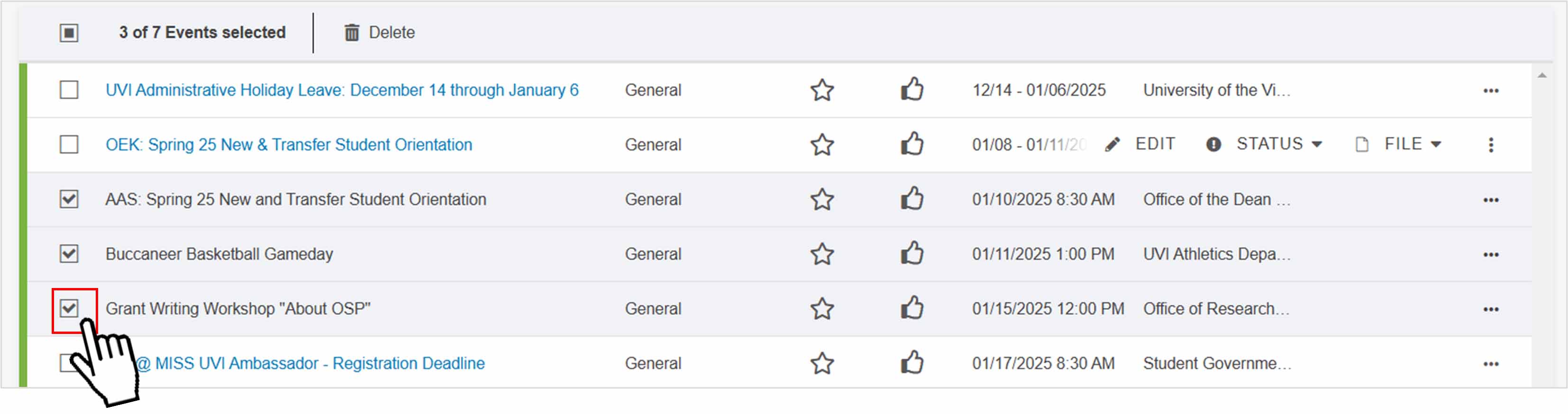
Find your events and click on the checkbox left of the event's name/title. Help| How to Search for an Event in a Calendar
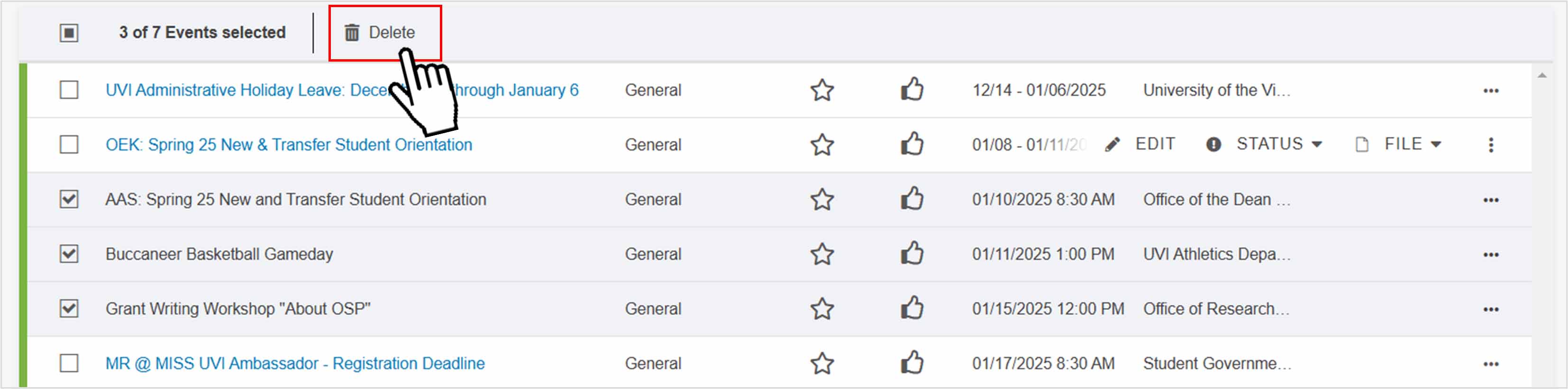
Click the delete button at the top of the screen.
When the popup appears, click it again to confirm deletion.