Follow the instructions below to update a calendar event.
Navigate to calendar on modern campus CMS. Help| Locate Calendar in Main Menu
Click on the title of the event that needs updating. Help| How to Search for an Event in a Calendar
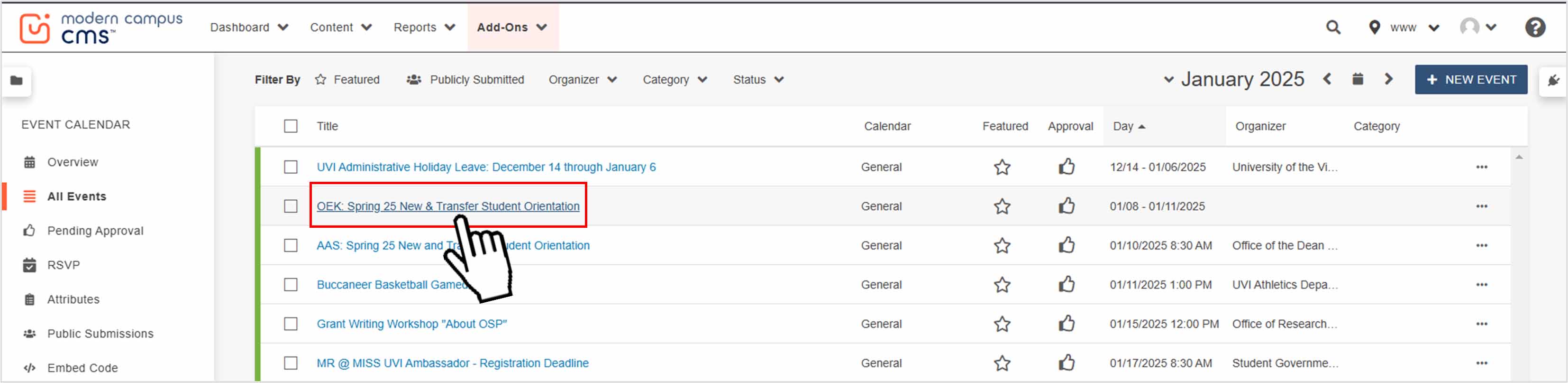
Update each field as necessary. Help| Calendar Interface
Review the event and ensure all the information is correct. Then click publish at the bottom right of the screen.